
In full
The fee is added at checkout, on top of your dues.
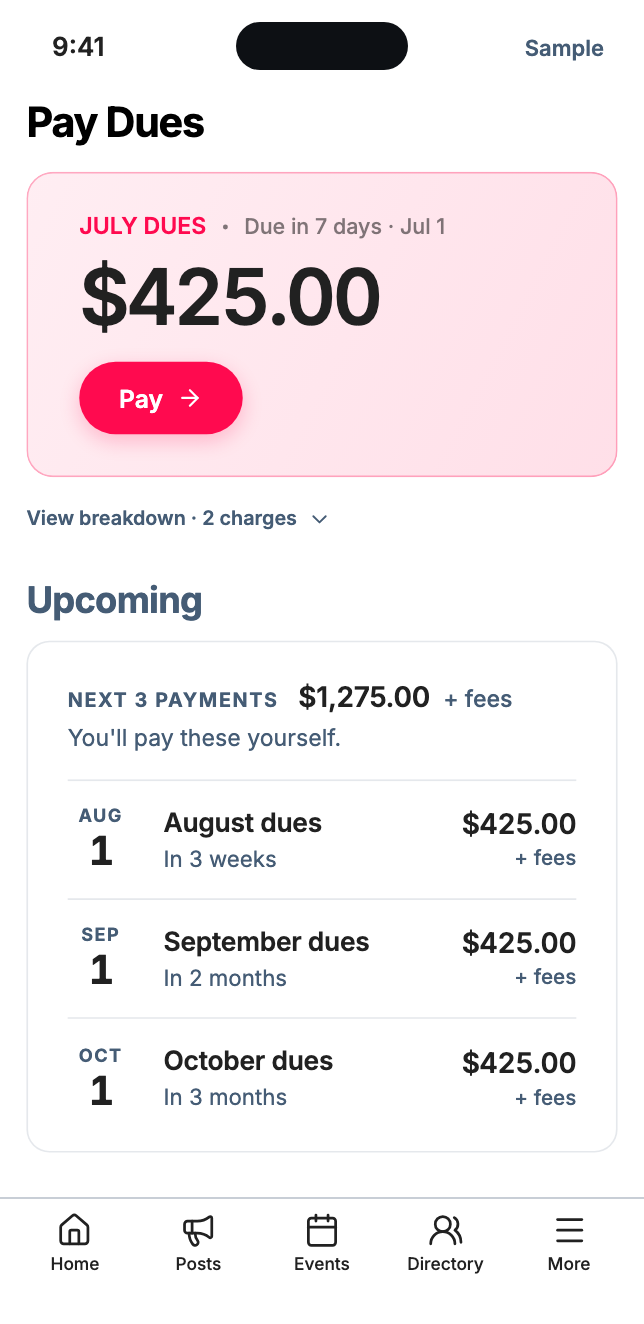
Under 3%
fee by bank, and never over $15.
Your dues arrive in full.
The fee rides on top of the bill, not out of your budget. Neighbors see it before they pay, with the payment methods you turn on.
Bank is usually the lowest fee, and it never goes over $15.00.
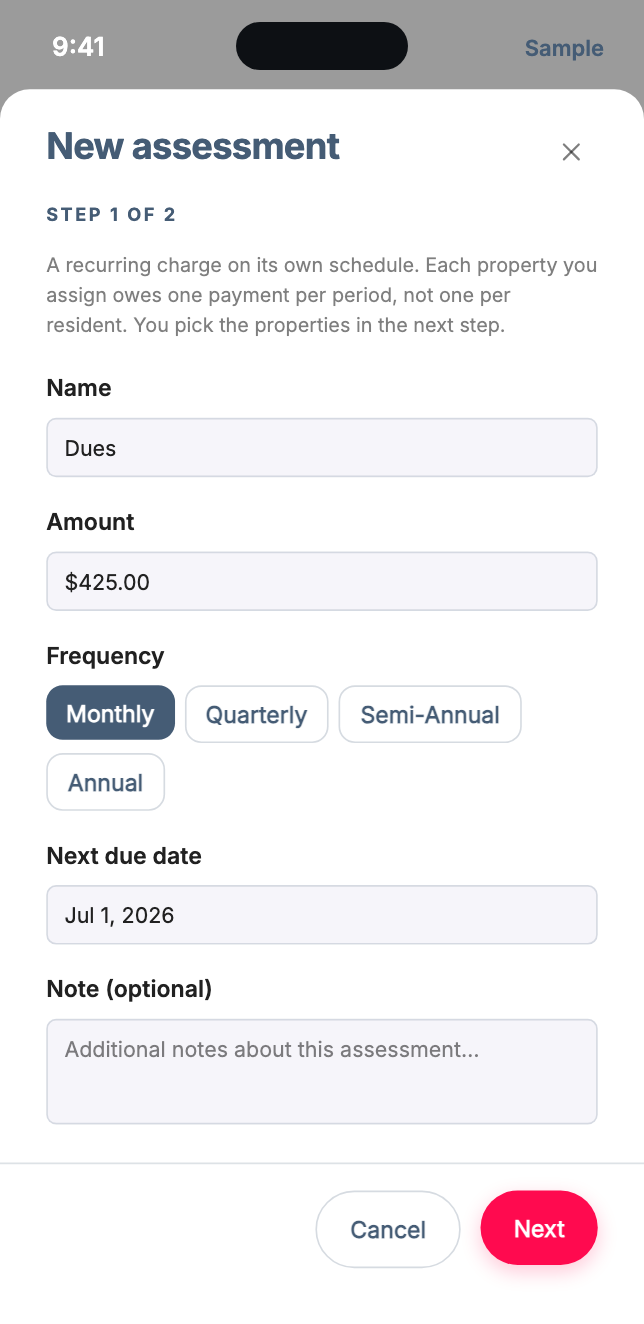
Dues, on repeat.
Set an amount and a schedule: monthly, quarterly, semi-annual, or annual. Run as many assessments as you need, like Dues and a Road Reserve.
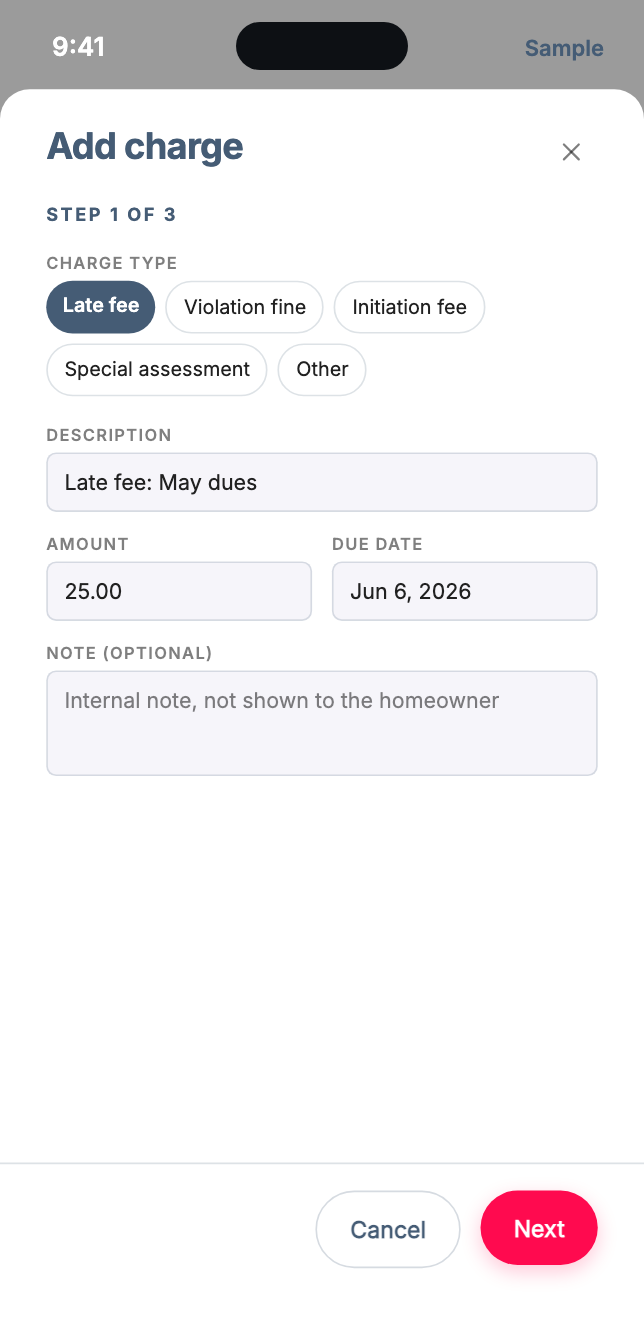
And the one-offs.
Add a late fee, violation fine, initiation fee, or special assessment whenever life happens.
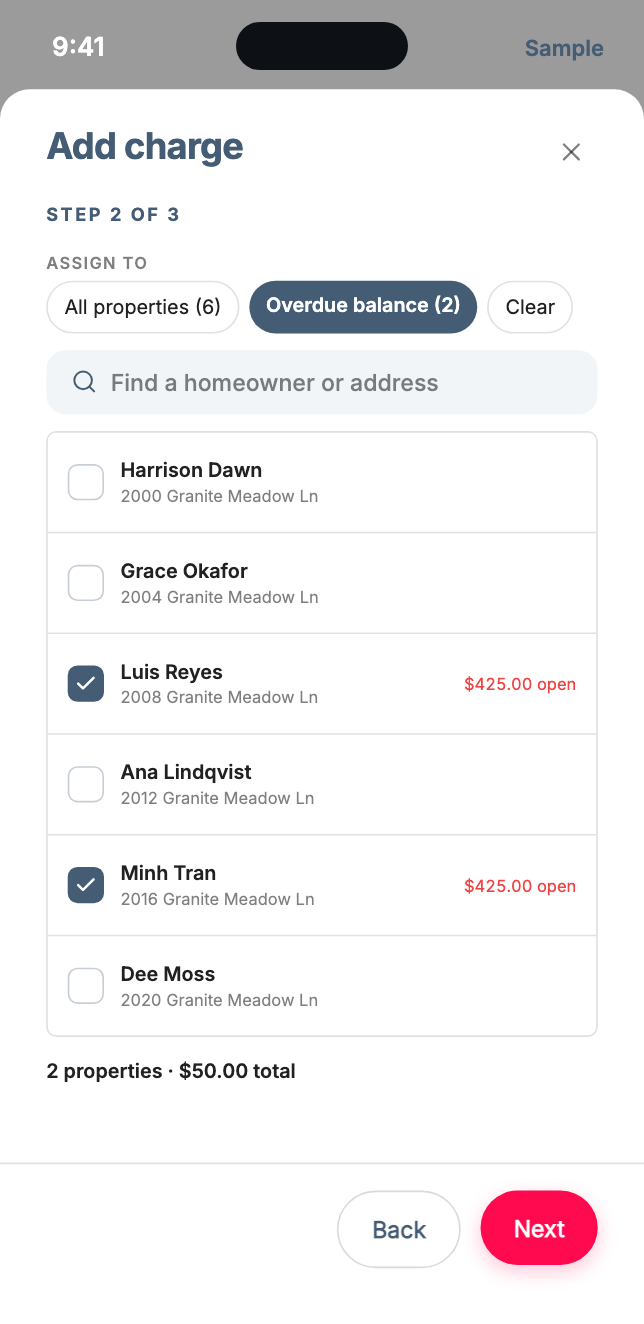
Everyone. The overdue. Or exactly the homes you pick.
Every charge goes to the homes you choose, and each recurring assessment keeps its own list.
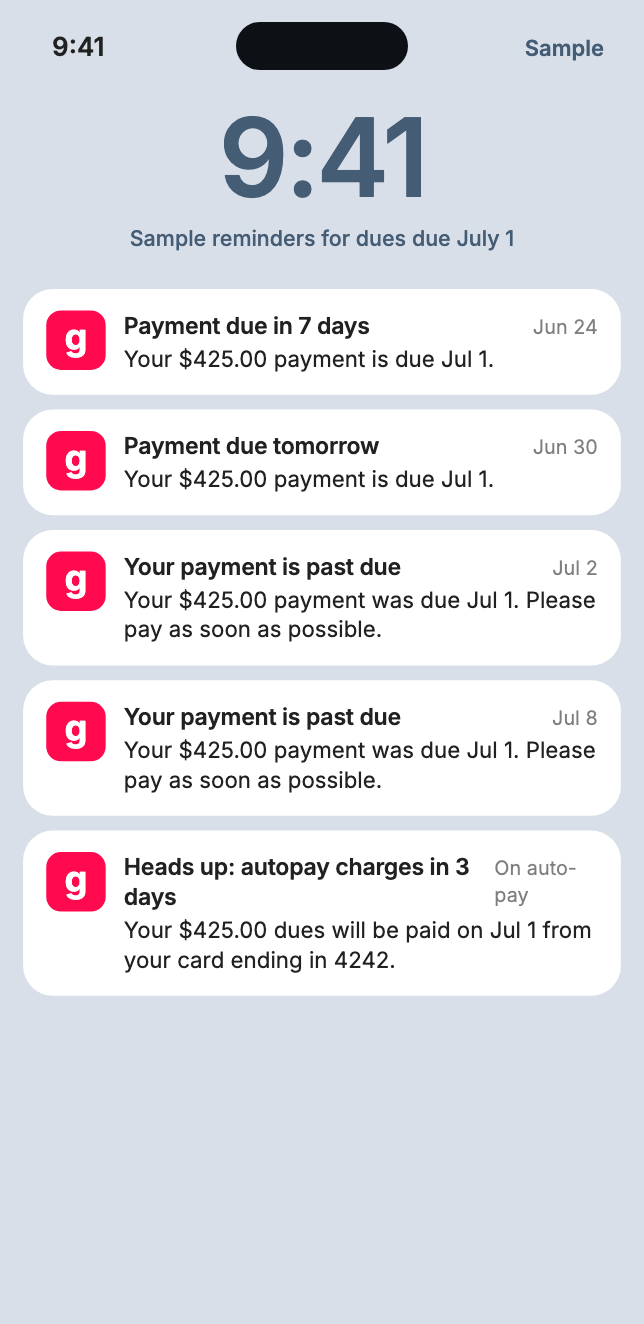
Reminders you don't have to send.
A week before, the day before, the day after, and a week after, by push and email. Nobody has to be the bad guy at the mailbox.
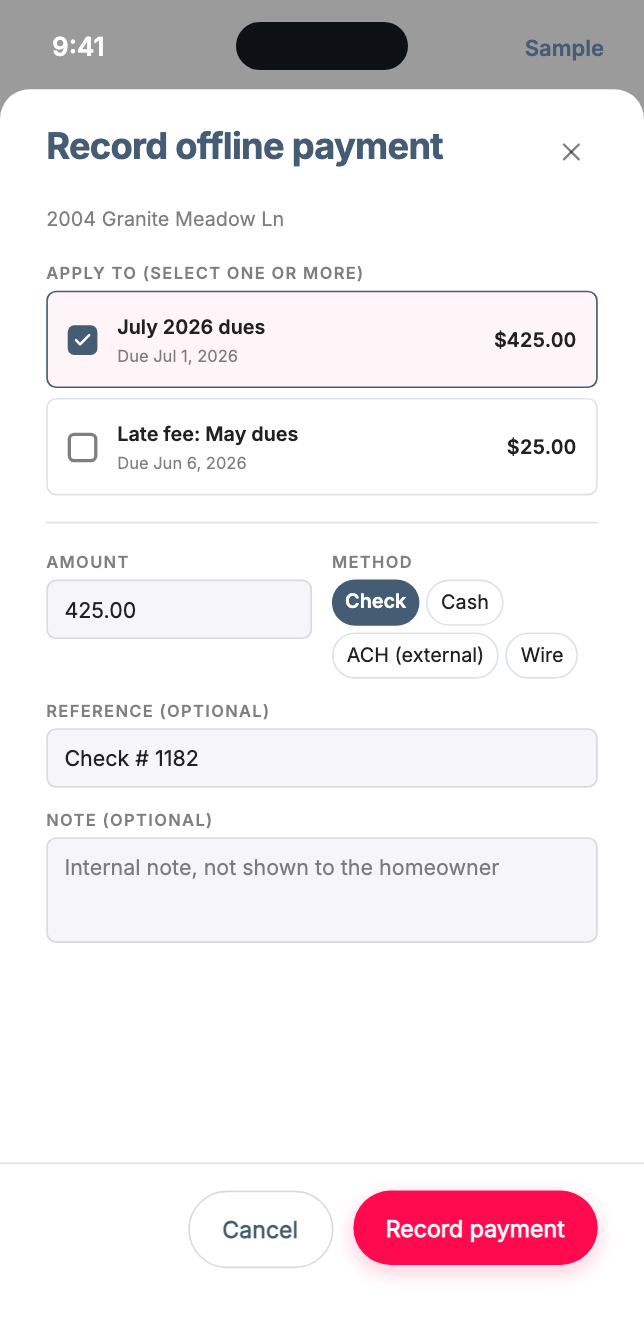
Checks still count.
Record a check, cash, wire, or outside ACH against any open charge. It lands in the same ledger, and you can undo it if you slip.
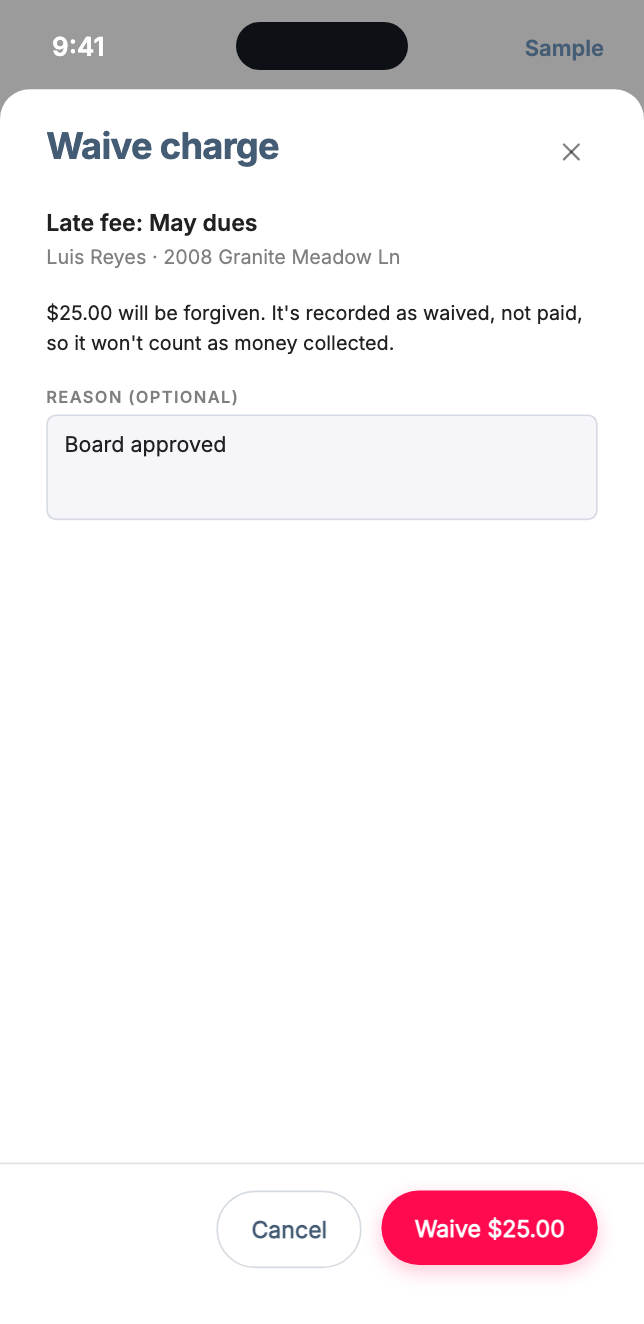
Forgive it, on the record.
Waive a charge and add the reason. It stays visible as waived and never counts as money collected, so your totals stay honest.
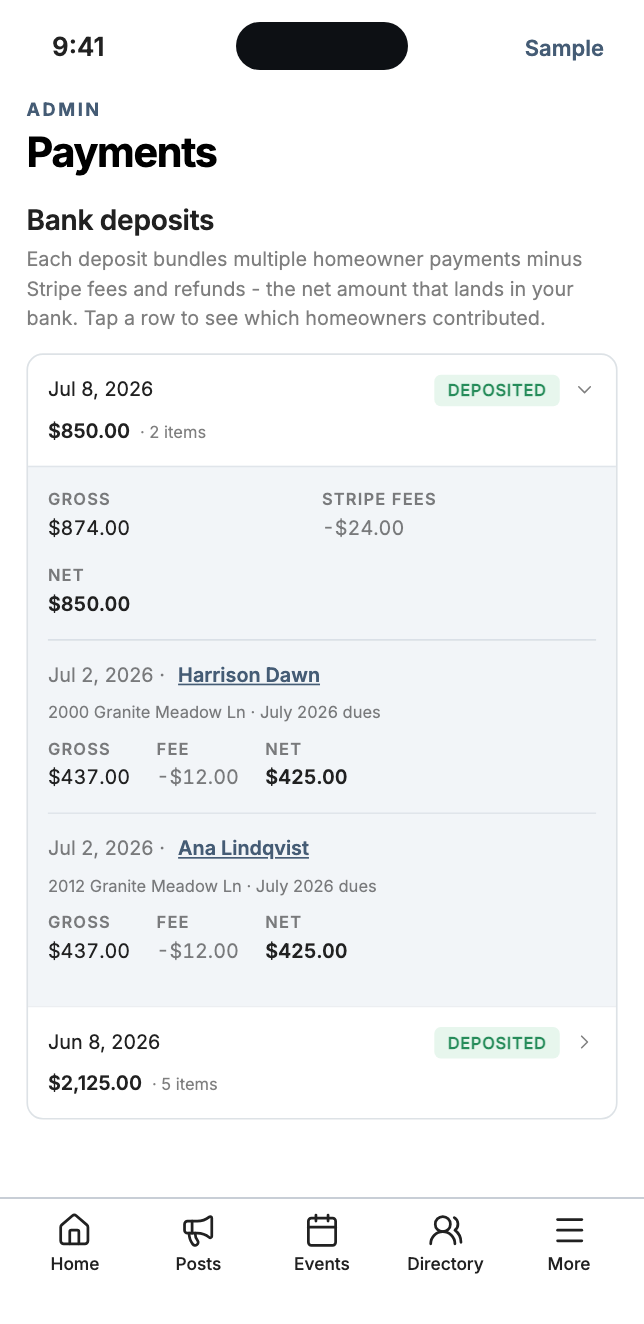
Every deposit, explained.
Open any deposit to see the homes in it, with gross, fee, and net for each.
- Daily, weekly, or monthly deposits
- Export your payments to CSV for your accountant
Three steps, then dues run themselves.
Launch your free site
Create your community on Gladly in about ten minutes. Online Payments is on the Free plan.
Connect your bank
Stripe walks you through your business details, identity, and bank in a few minutes.
Create your dues
Set the amount and the schedule, then opt in the homes you want to bill. Start as small as you like.
Free-plan communities get a short review from Gladly before payments go live.
Good questions.
What does this cost our community?
What exactly is the fee?
How long until money reaches our bank?
Whose account does the money go to?
Can we charge late fees?
Can we refund or undo something?
Can different homes pay different amounts?
Can we turn off card or bank?
Who is responsible for paying?
What do we need to get started?
Ready when you are.
Launch your free site, then turn on payments in minutes. Nobody gets billed until you say so.
Launch My Free Site