Avoiding HOA Meeting Déjà Vu

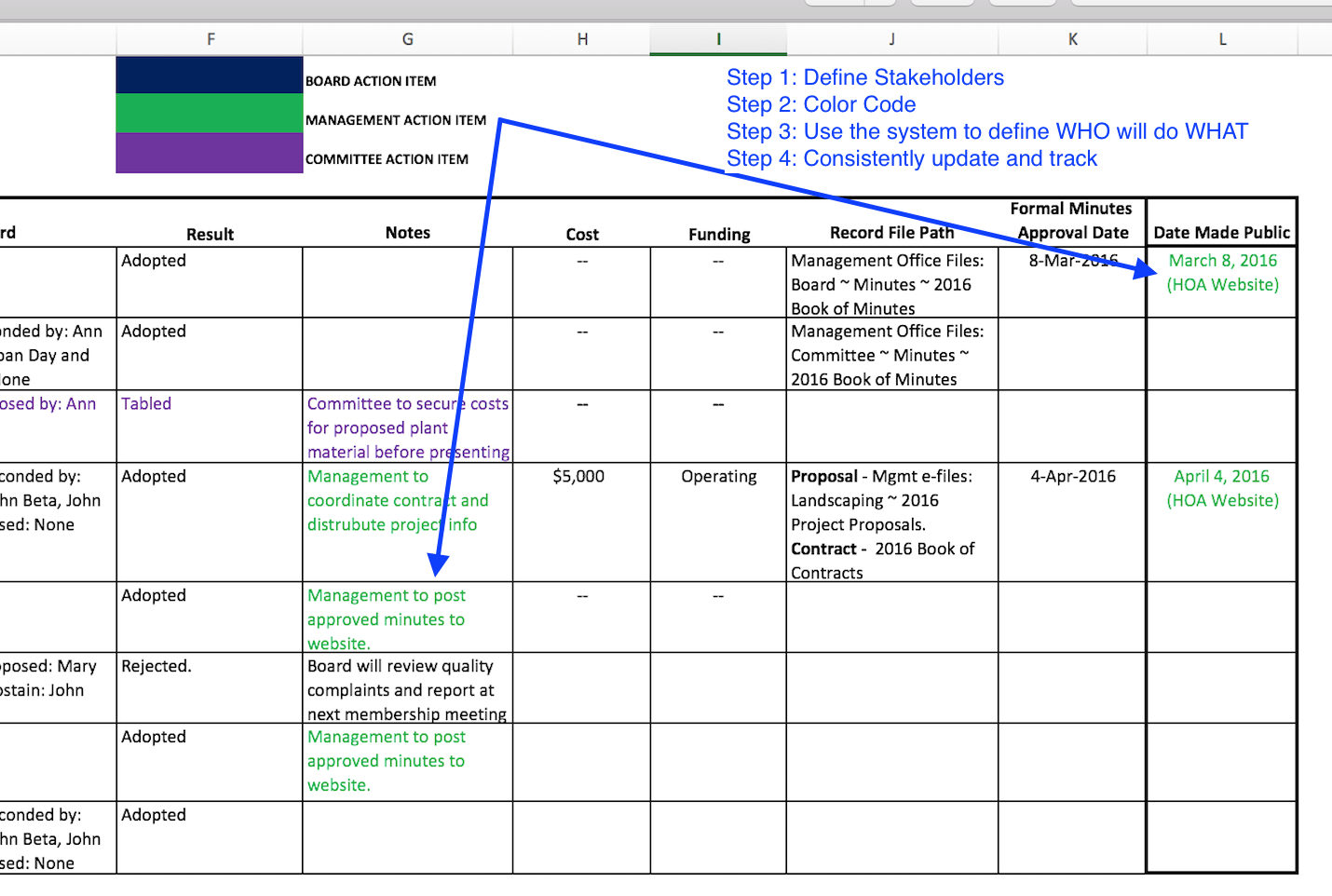
One of the hardest things a property manager must do is manage, process and respond to abounding information. I was reminded of this when I read a recent forum on the subject of ‘motion spreadsheets.’ By my understanding, the question was — what is the best way to keep a searchable history of the Boards decisions (motions). 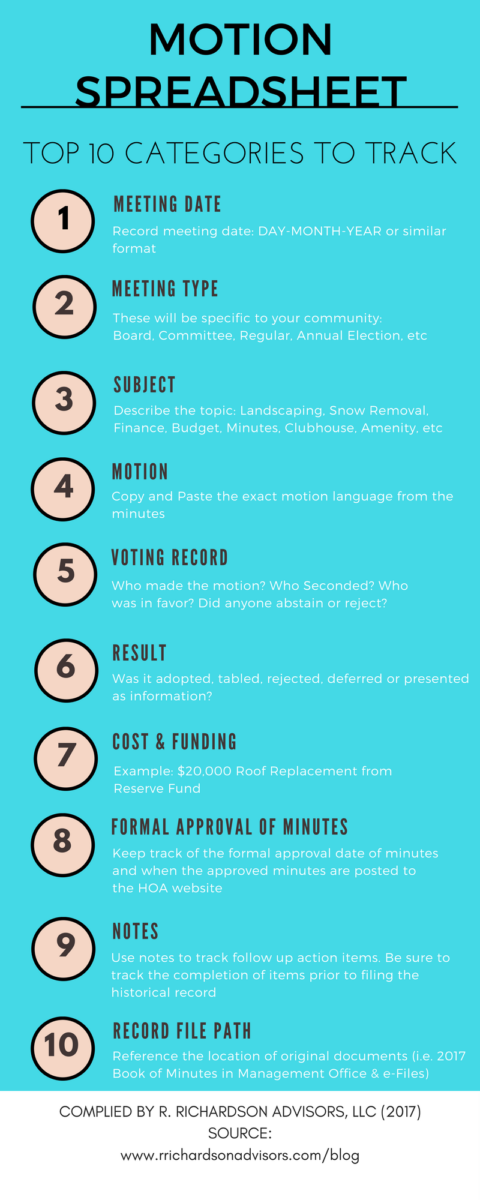 Whether you're thinking of investing in a document management system or are planning a process improvement around to record HOA decisions, I recommend starting simple with Microsoft Excel. Its versatility makes it a great tool to track and snapshot a ton of information in a searchable and easily tailored format. When creating your spreadsheet, start with the end in mind
 Whether you're thinking of investing in a document management system or are planning a process improvement around to record HOA decisions, I recommend starting simple with Microsoft Excel. Its versatility makes it a great tool to track and snapshot a ton of information in a searchable and easily tailored format. When creating your spreadsheet, start with the end in mind
- Focus your categories on filter search ability
- Identify and code stakeholders
- Set policy, time and place
Focus on Categories
Think about what questions you want the sheet to answer:- When did the board approve xxxx?
- Who made the motion for xxxx decision?
- When were the minutes posted to the HOA website?
- What minutes have not been approved and made public?
- How much did we spend on xxxx project?
Identify & Code Stakeholders
I'm big fan of color coding spreadsheets. Colors can be used to define who is supposed to do what. In this sample spreadsheet I’ve used blue, green and purple to delineate board, management and committee action items. Sample Motion Spreadsheet: